
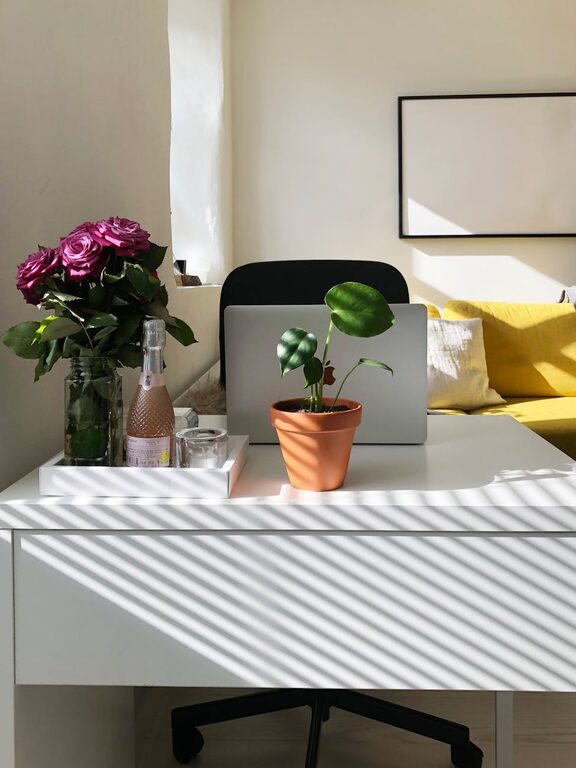
Creating a comfortable and productive home workspace is essential for anyone working remotely or spending significant time at home on tasks. A well-designed area helps you focus, reduces fatigue, and supports your overall well-being. Whether you have a dedicated room or a small corner, these tips will guide you in setting up an ideal environment for work.
Choose the Right Location
Selecting the best spot for your home workspace is the first step.
– Quiet and Private: Look for a space with minimal distractions where you can concentrate easily. It could be a spare room, a quiet corner, or a nook away from high-traffic areas.
– Natural Light: Position your desk near a window if possible. Natural light has been shown to improve mood and alertness, so it’s beneficial to have plenty of it.
– Ventilation and Temperature: Ensure the space is well-ventilated and stays at a comfortable temperature. Fresh air and a pleasant climate contribute to comfort and productivity.
Invest in Ergonomic Furniture
Support your body properly to avoid discomfort and injuries.
– Chair: Choose a chair with good lumbar support that allows you to sit upright with feet flat on the floor. Adjustable height and armrests add versatility.
– Desk: The desk height should allow your arms to rest comfortably at a 90-degree angle when typing. If possible, consider a sit-stand desk to vary positions throughout the day.
– Monitor Placement: Your computer screen should be at eye level and about an arm’s length away to reduce neck strain.
Organize Your Workspace
A clutter-free workspace helps maintain focus.
– Declutter Regularly: Keep only essential items on your desk. Store or discard unnecessary papers and supplies.
– Storage Solutions: Use shelves, drawers, or filing cabinets to organize documents and tools so they’re easy to access when needed.
– Cable Management: Use clips, ties, or cable boxes to keep cords tidy and prevent tangling.
Optimize Lighting
Good lighting reduces eye strain and keeps you alert.
– Layered Lighting: Combine natural light with artificial sources such as desk lamps or overhead lighting.
– Adjustable Lamps: Use lamps with adjustable brightness and positioned to avoid glare on your screen.
– Warm vs. Cool Light: Cooler light tones are better for focus during the day, while warmer light can create a cozy atmosphere, especially during late hours.
Minimize Distractions
Creating boundaries can help you stay productive.
– Set Clear Work Hours: Define when your workday starts and ends to maintain a work-life balance.
– Noise Control: Use noise-cancelling headphones or white noise machines if noise is an issue.
– Digital Discipline: Limit non-work-related notifications during work hours and maintain focus on set tasks.
Personalize Your Space
Adding personal touches makes your workspace inviting and motivating.
– Plants: Greenery can boost mood and purify air.
– Inspirational Items: Photos, artwork, or quotes that inspire you can create a positive atmosphere.
– Comfort Items: Consider a cozy blanket or a cushion to maintain comfort during long working hours.
Incorporate Movement and Breaks
Long sitting sessions are tiring and unhealthy.
– Take Regular Breaks: Stand up and stretch every hour or so to keep your blood flowing.
– Move Around: Try short walks or simple exercises to relax muscles and refresh your mind.
– Use Reminders: Set alarms or use apps to remind you to take these breaks.
Stay Connected and Equipped
Make sure your workspace supports smooth communication and work flow.
– Reliable Internet: A stable, high-speed connection is vital for video calls and research.
– Essential Tools: Stock your workspace with necessary supplies such as chargers, notebooks, pens, and software.
– Technology Setup: Keep devices updated and ergonomically arranged to avoid technical frustration.
—
By thoughtfully designing your home workspace with these tips, you can enjoy a more comfortable, efficient, and satisfying work experience. Remember that flexibility and regular adjustments can help you maintain both productivity and comfort over time.


